
What a Venom car edit is
A Venom car edit is a short vertical video in which a car appears to be rebuilt from black liquid. The look borrows the dark, glossy symbiote style from comic-book films and applies it to a vehicle instead of a person. In a typical edit, a badge rises from a pool of black liquid, tendrils spread across the frame and the car takes shape before the headlights switch on. People post these clips as car reveals, garage intros and fan edits.
Making that by hand usually means 3D work, compositing and a lot of time. A Venom car edit AI tool replaces that workflow with image-to-video generation: you supply one photo of the car and the model creates a new scene around it. The result is generated rather than a filter laid over existing footage, so the motion, lighting and reflections come from the model, not from your camera.
How the Venom car AI edit on this site works
AI Venom Car runs one fixed effect. A badge rises from black liquid, a liquid hand grabs it, tendrils spread into a web and the car assembles from its chassis before the headlights come on. Your photo guides the finished car, including its shape and paint. Each output is one 15-second 720p 9:16 MP4 with original generated sound and no watermark.
You do not write a prompt, choose a model or set a duration. That keeps the process simple: upload, pay and wait for an email. It also means every order uses the same recipe, so watch the BMW, Porsche and Toyota samples on the home page before buying and decide whether this style fits the edit you have in mind. The samples show the effect; they do not promise that every badge, wheel spoke or panel will match your photo perfectly.
Choose the right car photo for your edit
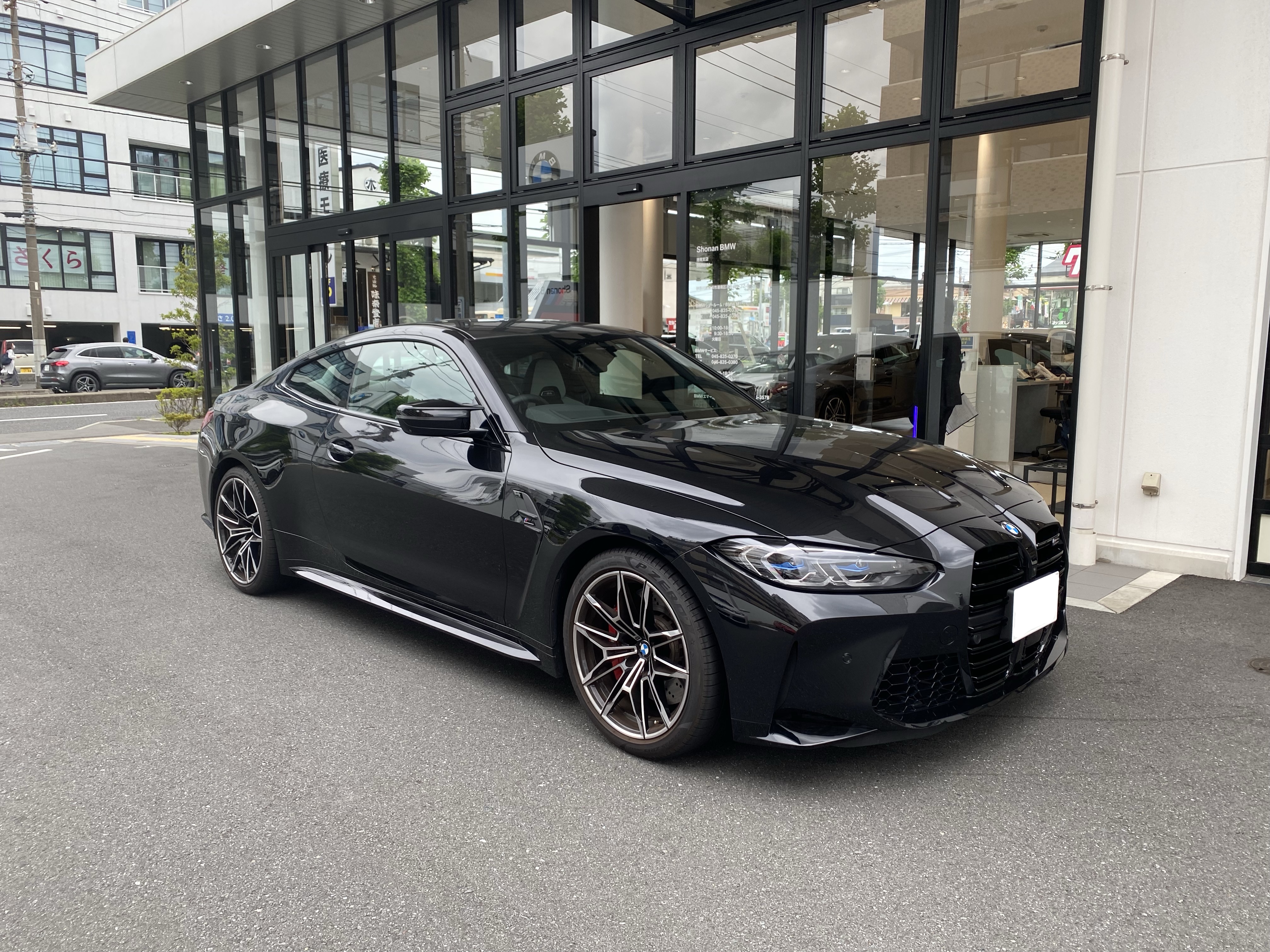
Pick a front three-quarter view that shows the whole car: roof, bumper and wheels, with a little space around the body. A badge close-up gives the model too little information about the silhouette, and a very wide shot makes the car too small. For dark paint, daylight or an evenly lit garage helps separate the hood and doors from the background.
Use a JPG, PNG or WebP file no larger than 10 MB. Remove readable license plates, people and other cars where you can, and use a photo you own or have permission to use. Skip screenshots with captions, heavy filters, motion blur and extreme wide-angle distortion. The edit supplies the drama; your photo only needs to make the car easy to understand.
Make your Venom car edit step by step
Open the Venom Car AI Video Generator on the home page and select your photo. Enter an email address you can access, then choose one video for $7.90 or three for $18.90. Both are one-off payments through Stripe, with no account, no subscription and no free generation. The three-video pack makes three separate interpretations of the same photo; it is not three different cars or a multi-car montage.
After payment is confirmed on the server, the photo is checked and generation starts automatically. You can close the tab. Rendering time varies, and placing a second order will not speed up the first. When your Venom car edit is ready, a private pickup link arrives by email. If it is missing, check spam and the address you used at checkout, or use the Get my videos page with the same email.
Download and post your Venom car edit
Each video and its pickup link expire 72 hours after that video finishes, and requesting a new link does not restart the clock, so save the MP4 to your device early. Source photos are kept for up to 72 hours; the privacy policy explains processing and deletion.
Before posting, check the silhouette, paint, wheel placement and the final reveal. Fine details and emblems may change. The clip has generated sound rather than a commercial song, so add music you are allowed to use in your editing or posting app. Label the video as an AI creation rather than footage of a real modification, especially when you share it in car communities.
Ideas for Venom car AI edits
The fixed reveal works well as a hook: open on the liquid badge, then cut to real footage of your car for the rest of the post. A new build, a freshly detailed car or a favorite still from a photo shoot can all become a short teaser. A before-and-after caption also makes it clear which part of the post is AI-generated.
For brand-specific framing, the BMW and Porsche photo guides show how to keep a roofline, grille or wheel stance readable in the input photo. The same generator, prices and pickup rules apply whichever guide you start from.
If you want more than one take, the three-video pack gives you separate interpretations of the same photo to choose from or cut together. Keep the strongest reveal as the opening shot and save the others for later posts. Because all three start from one upload, the car stays the same while the details of each render vary.
Venom car edit questions
Do I need editing software?
No. You upload a photo and receive a finished MP4; you only need an editor to add music or combine clips.
Can I start from an existing video?
No. The input is one still photo and there is no reference-video upload.
Can I choose the colors or the scene?
No. The effect is fixed and your photo guides the car.
What if a render fails?
A first confirmed failure restores your video opportunity automatically. Each new order gets one retry. If the retry also fails, contact support with your order reference. Finished videos are not refunded or remade for creative differences.
Is AI Venom Car affiliated with Marvel or a car brand?
No. AI Venom Car is independent and is not affiliated with Marvel, Sony Pictures or any vehicle manufacturer.