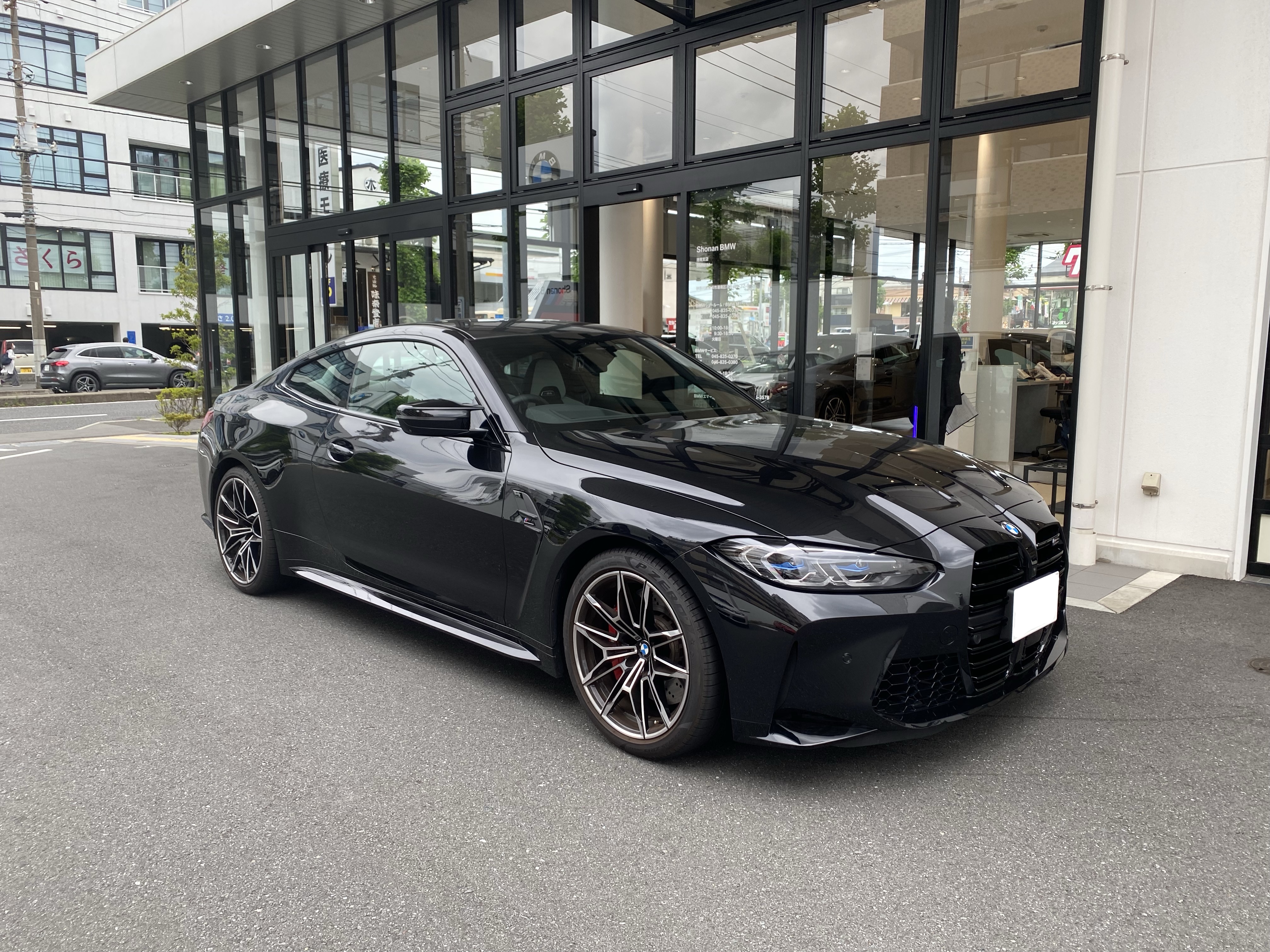

Start with the result you want
The effect is a fictional car reveal: a badge rises from a black-liquid pool, a liquid hand grabs it, tendrils spread into a web, and the car assembles from its chassis before the headlights come on. Your photo guides the finished car. This is image-to-video generation, so the scene is newly generated rather than a frame-for-frame replacement inside an existing clip.
On this site, each output is a 15-second 720p 9:16 MP4 with original generated sound and no watermark. Watch the on-site BMW sample before ordering to judge the sequence and visual style. It is an example of the effect, not a promise that every badge, wheel spoke or panel will match your photo perfectly.
Prepare one usable car photo
Choose a front three-quarter view that includes the whole car: roof, bumper and wheels. Leave a little space around the body. A badge close-up gives the model too little information about the silhouette; a very wide shot makes the car too small. For a dark car, daylight or an evenly lit garage helps separate the hood and doors from the background.
Use a JPG, PNG or WebP file no larger than 10 MB. Remove readable license plates, people and distracting cars before uploading. Use a photo you own or have permission to use. Avoid screenshots with captions, extreme wide-angle distortion, heavy filters and motion blur. The output supplies the dramatic scene; your input should make the car easy to understand.
Choose one video or three variations
Open the Venom Car AI Video Generator and select your photo. Enter an email address you can access, then choose $7.90 for one video or $18.90 for three. Both are one-off payments. The three-video pack produces three separate interpretations of the same uploaded photo; it is not a bundle for three different cars or a multi-car montage.
Continue to Stripe and check the order before paying. There is no free generation or subscription. You do not select a model, write a scene prompt or set a custom duration. The fixed workflow is useful when you want this particular effect; if you need editable prompts or multiple formats, compare the alternatives before purchasing.
Let generation finish in the background
After server-side payment confirmation, the photo is checked and generation begins automatically. You can close the tab. Rendering time varies; this guide does not promise an instant result or a specific completion time. Placing another order is not a way to refresh progress and may create another purchase.
When the video is ready, use the private pickup link sent to your email. Check spam and the address used at checkout if the message is missing. The Get my videos recovery page can help you retrieve access for that same email. Never post your private pickup link in a public comment or share it as a sample URL.
Download, check and share the MP4
Each video and its pickup link expire 72 hours after that video finishes. You can reopen the link during that window, but requesting another link does not restart the clock. Save the MP4 to your device before expiry. Source photos are retained for up to 72 hours; see the privacy policy for processing and deletion details.
Before sharing, inspect the car silhouette, paint, wheel placement and final reveal. Fine details and emblems may change. The clip includes generated sound rather than an existing commercial song; add music you are permitted to use in your publishing app. Describe the video as an AI creation rather than footage of a real modification.
If the result or delivery needs attention
Contact support with your order reference if a render fails or the download cannot be reached during its valid window. Confirmed failures are reviewed for an applicable payment refund. A creative variation is not automatically a technical failure. Uncertain provider results are held for review instead of automatically submitting another paid render.
AI Venom Car is independent and is not affiliated with Marvel, Sony Pictures or any vehicle manufacturer. For more specific framing advice, use the BMW and Porsche photo guides. The same generator and package terms apply whichever guide brought you here.